- Quest 2
- Quest 3
- Quest 3S
- Quest Pro
Serious Sam Classic VR (QuestSam)
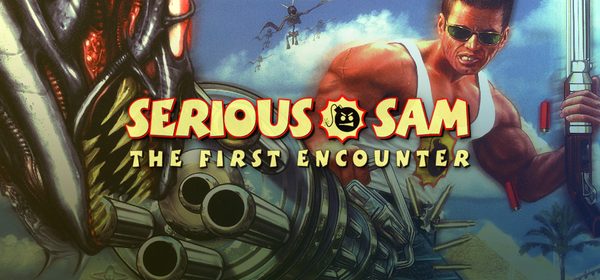
Standalone 6DoF VR source port of Serious Sam Classic: The First Encounter & The Second Encounter for Meta Quest. Features dual wielding, horde combat, roomscale tracking, and 1st/3rd-person diorama views.
- TrackingYes, 6DoF
- Motion controlsYes, Dual wielding
- First-person
- Third-person
- Roomscale diorama
- Quest 2
- Quest 3
- Quest 3S
- Quest Pro
This game has 2 steps
- Install the app on your Quest.
- Add the game files from your own copy. You can send them over USB or copy them yourself.
Checking browser support…
Verification
Install via QuestPorts on b004 · Quest 3 · today · Game files not sent through the site
Installed by 14 people through QuestPorts
Step-by-Step Installation Guide
Install on Quest, in the card above, is the one-click USB install. These steps are the manual path (SideQuest or ADB).
Overview
QuestSam is a free, open-source standalone 6DoF VR source port of Croteam's legendary arcade FPS classics: Serious Sam Classic: The First Encounter (TFE) and Serious Sam Classic: The Second Encounter (TSE), running natively on Meta Quest without a PC.
[!NOTE] You need the
.grogame archive files from either or both original PC games (Serious Sam Classic: The First Encounter or Serious Sam Classic: The Second Encounter on Steam or GOG).
Prerequisites
- Meta Quest Headset (Quest 2, Quest 3, Quest 3S, or Quest Pro) with Developer Mode enabled.
- Legally owned copy of Serious Sam Classic: The First Encounter and/or The Second Encounter on Steam or GOG.
- PC with USB-C cable or SideQuest / ADB installed.
Step-by-Step Installation Guide
1. Sideload the Standalone APK
- Download
questsam.apkfrom GitHub Releases. - Install the APK using SideQuest or run:
adb install -r questsam.apk
2. First Launch (Folder Creation & Permissions)
- Put on your headset, open App Library → Unknown Sources, and launch QuestSam.
- Grant the "All files access" storage permission when prompted.
- The game will generate the
/directory on your headset's storage and close.sdcard/ questsam/
3. Copy Game Files (.gro)
- Connect your Quest to your PC via USB-C (or use SideQuest's File Manager).
- Locate your PC game install folder (e.g.
Steam/):steamapps/ common/ Serious Sam Classic The First Encounter - Copy all root
.groarchive files (e.g.1_00.gro,1_00_music.gro,SE1_00.gro, etc.) into:/sdcard/questsam/ - (Optional) If copying via ADB script, you can use the bundled
push_quest_data.bat(Windows) orpush_quest_data.sh(Linux/Mac) to automatically transfer TFE & TSE data to/.sdcard/ Android/ data/ com.github.maranone.questsam/ files
- Copy all root
4. Launch and Slay Hordes in VR!
- Put on your Quest, go to Unknown Sources, and launch QuestSam.
- Choose your campaign (TFE or TSE) and enjoy full 6DoF dual-wielding chaos!
VR Features & Controls
- Dual Wielding: Hold different weapons in each hand! Press each controller's grip to cycle weapons, and pull each controller's trigger independently to fire.
- Camera Modes: Play in traditional first-person VR or switch to third-person and roomscale 3D diorama modes.
- Customizable HUD: Adjust health/ammo HUD opacity, scale, and positioning in VR player settings.
- Interact: Click the Right Controller Thumbstick to use switches and open doors.
Launch the APK once first to grant storage permissions and initialize /sdcard/questsam. Both TFE and TSE can be placed in the same folder or separate subfolders; QuestSam automatically links archives when SE1_00.gro is found.
Requirements SummaryStandalone VR
No community reports yet. Be the first to share how it runs on your headset.
How did this port run for you?
Join the developer community for installation troubleshooting, high-resolution HD mod packs, and multiplayer sessions.